

The majority of businesses utilize several AWS accounts which creates difficulties for their billing operations. The AWS Consolidated Billing service creates a single clear bill which shows all your AWS expenses thus enabling simpler payments and cost savings.
This guide will show users how to Connect AWS Accounts For Consolidated Billing while explaining its importance and demonstrating methods to improve AWS billing processes.
What Is AWS Consolidated Billing?
AWS Organizations provides AWS Consolidated Billing as a feature which enables customers to manage multiple AWS accounts through a single dedicated management account. The system provides customers with a unified monthly invoice instead of separate bills for each account they possess.
Step-by-Step Process Of Connecting AWS Accounts for Consolidated Billing
Below is a clear step-by-step guide to connect AWS accounts for consolidated billing:.
Step 1: Choose a management (payer) account
The primary billing owner will receive the consolidated invoice through one selected AWS account which needs to be dedicated for billing and governance purposes only. The account should not handle any daily operational tasks.
Step 2: Sign in to AWS Organizations.
The user needs to log in to the selected payer account to access AWS Organizations through the AWS Management Console. The user must activate AWS Organizations because it provides the necessary features to manage consolidated billing between different accounts.
Step 3: Create an organization
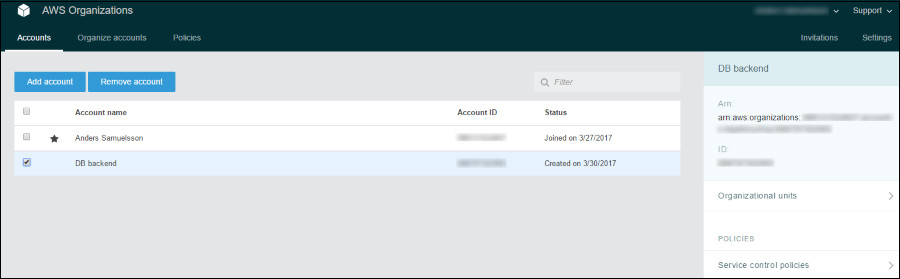
Click Create organization and choose either All features or Consolidated billing features only. Once created, your selected account automatically becomes the management account for all billing activities.
Step 4: Add or invite AWS accounts
You can create new AWS accounts directly within the organization or invite existing accounts using their account IDs or email addresses. This allows all member accounts to be included under the same billing structure.
Step 5: Accept invitations
The organization invitation for billing consolidation requires both existing AWS account owners and their current accounts to accept the invitation. Until accepted, those accounts will continue to receive separate bills.
Step 6: Verify consolidated billing
The management account requires you to access the AWS Billing console and verify that all linked accounts are displayed. The system now shows total usage and expenses along with one unified monthly invoice for all associated accounts.
Why Connect AWS Accounts for Consolidated Billing?
Here are the key benefits:
- Single unified bill: One invoice for all linked accounts makes financial reporting easier.
- Volume pricing discounts: Aggregated usage across accounts helps you qualify for better pricing tiers, reserved instance discounts, and Savings Plans.
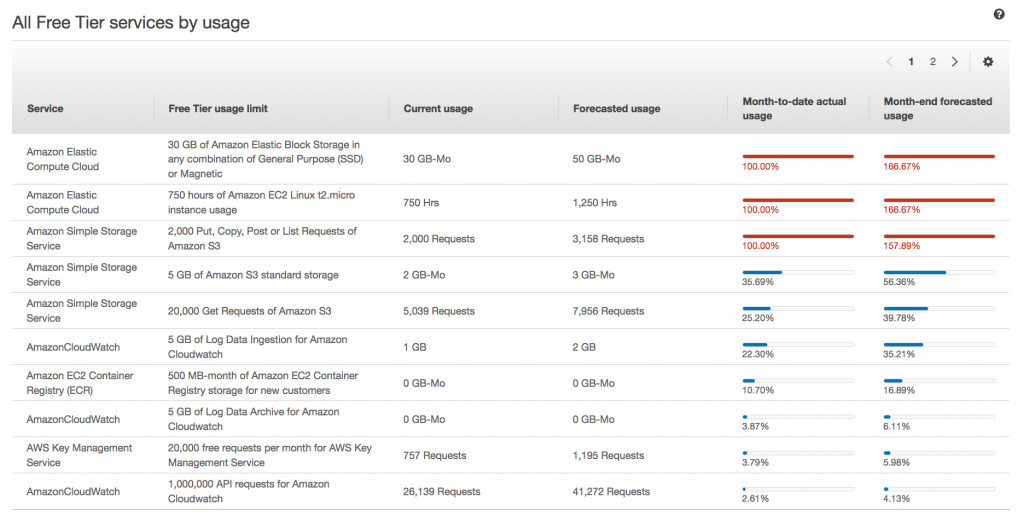
- Enhanced cost tracking: View consolidated and individual account usage data in AWS Cost Explorer.
- Zero additional charge: AWS doesn’t charge extra for Consolidated Billing — it’s included with AWS Organizations.
Benefits of Connecting AWS Account For Consolidated Billing
AWS Consolidated Billing helps businesses manage multiple AWS accounts more efficiently by combining costs, improving visibility, and reducing overall cloud spend. Here are the key benefits:
- Single monthly bill for all AWS accounts, simplifying accounting
- Lower costs through shared usage discounts, Savings Plans, and Reserved Instances
- Centralized cost visibility across all linked accounts
- Easier budgeting and forecasting with unified spend data
- Better governance while allowing teams to use separate accounts
- No additional charges from AWS for consolidated billing
- Scales easily as your business or teams grow
Best Practices For Successful AWS Consolidated Billing
Follow these best practices to ensure smooth, accurate, and cost-effective billing management:
- Use a dedicated management (payer) account only for billing and governance
- Enable MFA and restrict access on the payer account for better security
- Organize accounts logically (by team, project, or environment) using AWS Organizations
- Apply cost allocation tags consistently to track spending accurately
- Monitor costs regularly using AWS Cost Explorer and Cost & Usage Reports
- Leverage Savings Plans and Reserved Instances across accounts for maximum savings
- Standardize tax and billing settings across all linked accounts
Conclusion
The process to connect AWS accounts for consolidated billing through AWS Organizations enables organizations to achieve unified billing across their AWS accounts, making it an efficient method for controlling cloud expenditures across teams, departments, and business units. With expert guidance from Udyamita Helpline, businesses can gain a single consolidated billing statement along with detailed cost insights, helping them improve financial management while maximizing the value of their AWS resources.
Start today with Udyamita Helpline by identifying your payer account, inviting linked accounts, and unlocking the full potential of AWS Consolidated Billing. While external tools can further streamline reporting at scale, AWS’s native solution—supported by Udyamita Helpline’s expertise—is often sufficient for most use cases.
FAQs
1. Does AWS charge extra for consolidated billing?
No. AWS Consolidated Billing is free and included with AWS Organizations.
2. Can I remove an account from consolidated billing later?
Yes. Accounts can leave the organization, but they will then receive separate AWS bills.
3. Will individual accounts lose control after consolidation?
No. Each account remains independent for resources and security. Only billing is centralized.
4. Can startups and small businesses use consolidated billing?
Absolutely. Consolidated billing is ideal for startups, SMEs, and enterprises alike.
5. Do Savings Plans and Reserved Instances apply across accounts?
Yes. Eligible discounts are shared across all linked accounts under consolidated billing.
