

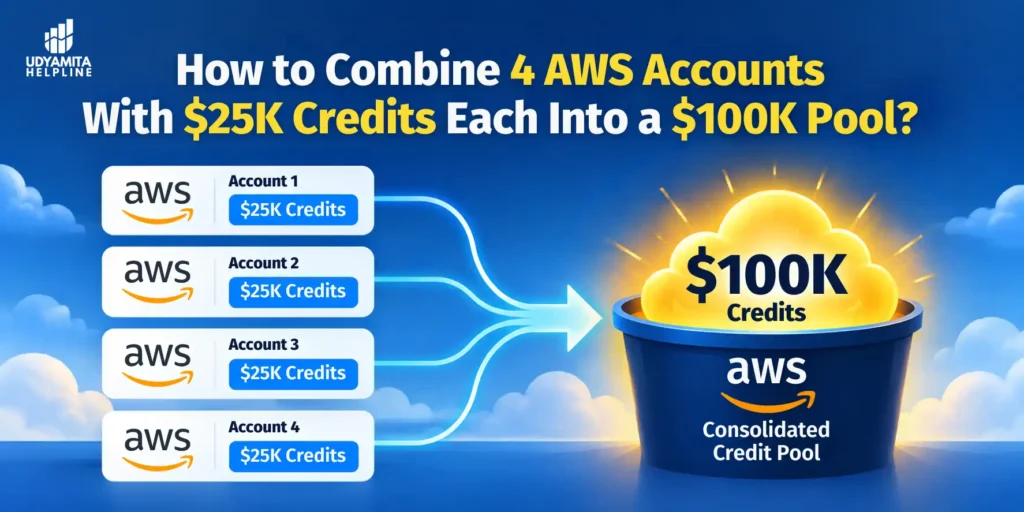
If you’re building a cloud business in India, AWS credits can feel like free fuel. But they’re often scattered across different accounts, and one account may run out while another sits unused. Founders, agencies, and consultants hit this problem all the time. In this guide, we’ll show you how pooling works, exactly when to attach your accounts, and where people get into trouble.
What Does “Making $100K by Connecting 4 x $25K AWS Accounts” Actually Mean?
AWS Organizations credit sharing: a feature that lets credits owned by one account in an organization pay for usage in other accounts in the same organization.
You don’t create $100,000. You combine four separate $25,000 credit balances into one shared pool of $100,000 that can cover usage across the whole organization.
Here’s how it works:
- You create an AWS Organization with one management (payer) account.
- You invite the four credit-holding accounts as member accounts.
- Consolidated billing gives you one bill for multiple accounts, and the management account pays the charges of all member accounts.
- Credit sharing is on by default. Once an account joins, its remaining credit balance is applied across member-account usage from the start of the next billing cycle.
Credits cover the bill until they run out or expire. After that, the management account’s payment method is charged for the rest.
Important: Credits only cover eligible services. Check each credit’s Applicable products list on the Credits page before planning your workload.
When Does Credit Sharing Start? (The Timing Rule)
Credits from a child account join the shared pool from the next billing cycle, not the day you attach it.
AWS billing cycles run from the first day of each month. That makes your attach date the most important decision in the whole setup.
| You want to use the credits in | Attach the child account by | Our safe recommendation |
| December | On or before 30 November | Before 16 November |
| March | On or before 28 or 29 February | Before 16 February |
| Any month | Last day of the previous month | Before the 16th of the previous month |
Why We Recommend Attaching Before the 16th?
The 30 November deadline is the hard limit. But we suggest attaching before the 16th of the previous month. Here’s why:
- AWS may run checks on newly attached accounts, so you want a buffer.
- If an invitation is delayed, the child account owner forgets to accept, or a problem appears, you still have two weeks to fix it.
- You can confirm that credit sharing shows as Activated well before the new cycle starts.
Treat the 16th as a safety rule based on practical experience, not an official AWS deadline.
What Happens If You Attach Late?
If an account joins mid-month, its credits cover its own usage until the day it joins. From next month, they will apply for the organization’s bill. The shared pool for a month only includes credits from accounts that have been in the organization since the first day of that month. Miss the cutoff, and you lose a full month of pooled credits.
Bills are also calculated using the credit sharing setting on the last day of the month. If you turn sharing off before then, that month’s bill won’t include member credits.
How the Setup Looks (With a 5th Workload Account)
You can add a fifth account where you run the main workload. This is a smart structure:
| Account | Role |
| Management account | Pays the bill, runs Organizations, controls credit sharing |
| Child accounts 1–4 | Each holds a $25K credit |
| 5th account | Runs the actual workload |
With sharing on, AWS credits first covers the credit-owning account’s own charges, then applies credits to the account with the highest spend, and continues to the highest charges within it. Your busy workload account will absorb most of the pooled credits. If you hold several credits, AWS uses the earliest-expiring ones first.
How to Connect the Accounts: Step by Step
- Create the management account. Use a company email. Keep it for billing and admin only.
- Enable AWS Organizations. Log in to the console and open AWS Organizations under Management & Governance. Click Create an organization.
- Invite the four child accounts before the 16th. Choose Add an AWS account, then Invite an existing account. Enter each account’s email or ID.
- Get the invitations accepted. The owner of each child account logs in and clicks Accept Invitation. Chase this early. Once members accept, consolidated billing is enabled automatically.
- Check credit sharing. Open Billing preferences and look at Credit sharing preferences. Confirm all four accounts show as Activated.
- Add or invite the 5th workload account. Create it inside the organization or invite it, then run your workloads there.
- Set up budgets and alerts on every account.
- Verify on the 1st of the new month. Open the Credits page and the Bills page (Savings tab) to confirm credits are being applied.
Who Controls Credit Sharing?
Credit sharing is on by default, but the management account controls it, not the child accounts. Only the payer account can turn it on or off, and it can choose which accounts credits are shared with.
You can go further with credit-level sharing. This lets you use Cost Categories to define which accounts may use a specific credit. That’s useful if one credit belongs to a client and shouldn’t fund another client’s work.
📋 Need help setting up AWS Organizations and credit sharing for your startup?
Udyamita Helpline has helped thousands of Indian entrepreneurs get complex setups right.
👉 AWS $100K Credits Pool
Rules and Limits You Must Know Before You Start
Before applying for the AWS $100K credits 4 AWS Accounts With $25K Credits Each must understand the rules and limits:
Credits Can’t Be Transferred
Credits sit with the account that received them. Once Activate credits are applied, they can’t be moved to another AWS account. Pooling through Organizations is the legitimate workaround, not a transfer.
Seller of Record Matters in India
If your management account was created by AWS India, every account in the organization must also come from AWS India. You can’t mix accounts from different AWS sellers. Check each account’s seller before inviting it. This is another reason to attach early, so you can fix problems before the cutoff.
Don’t Break AWS Terms
We want to be straight with you. These actions can get accounts suspended:
- Selling credits on secondary markets. AWS can revoke credits and suspend accounts.
- Creating extra accounts just to claim the same credit program again.
- Using AWS Activate credits for personal projects.
- Changing names or emails to get around a rejection. AWS is strict about this because of credit fraud.
Safe rule: Pool credits that were each legitimately earned by a real business or program.
Where Do the $25K Credits Come From?
Typical sources include AWS Activate through an investor or accelerator, event promotions, and partner programs. Credits typically sit at the AWS account level. Amounts and eligibility change often, so verify current details on the official AWS Activate page.
Is Pooling Credits the Same as Reselling AWS?
No. They’re different models.
| Model | What it means | Who pays |
| Credit pooling | Several accounts with credits share one pool | Management account pays any overage |
| Consolidated billing for clients | You pay one bill and collect from clients | You’re liable for the full invoice |
| Billing transfer | Moves payment responsibility across organizations to another billing administrator, such as an AWS Partner | The bill-transfer account |
If clients are paying you, use contracts.
Risks and Precautions
- You pay the overage. Only the management account’s payment method pays for the whole organization. Member accounts can’t be charged to separate cards.
- Member bills are informational. Don’t treat them as invoices.
- Set AWS Budgets and alarms for every account so one runaway workload doesn’t drain the pool.
- Use cost allocation tags to track spend per client or project.
- Credits expire. Track expiry dates on the Credits page.
- Leaving the organization. If an account leaves mid-month, its credits still apply to the organization’s bill until the first of the next month.
Extra Benefits of Consolidated Billing
These are the benefits of AWS consolidated billing even if credits are gone, the setup keeps paying off:
- Combined usage shares volume pricing discounts, Reserved Instance discounts, and Savings Plans, at no extra fee.
- Easier cost tracking through one combined view.
- Central control over budgets and governance.
Key Takeaways
- You’re pooling four $25K credits into one $100K balance, not creating new money.
- Child-account credits join the shared pool from the next billing cycle.
- To use credits in December, attach the accounts on or before 30 November.
- We recommend attaching before the 16th of the previous month as a safety buffer.
- The management account controls credit sharing and pays any overage.
- In India, all accounts must share the same AWS seller of record.
- Never sell credits or create fake accounts.
FAQs
It starts from the next billing cycle. If you attach on 20 November, the credits join the pool from 1 December.
On or before 30 November. We recommend attaching before 16 November so you have time to fix any issues.
It gives you a buffer for AWS checks, delayed invitations, or seller-of-record problems. It’s our safety practice, not an official AWS rule.
Yes, as a shared pool inside one AWS Organization with credit sharing on. Each credit still expires on its own date and only covers eligible services.
Yes. The management account can turn it off or choose which accounts take part. Child accounts can’t change it.
AWS bills the management account’s payment method for the remaining usage. Set budgets so this never surprises you.
No. If your management account was created by AWS India, you can only invite other AWS India accounts.
No. But Organizations credit sharing lets other accounts use them.
