

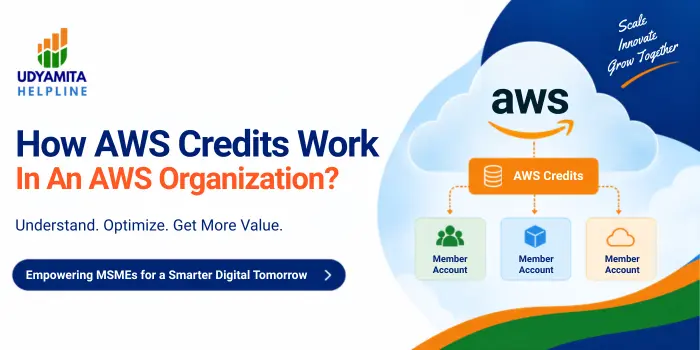
If your startup runs on Amazon Web Services and you’re managing more than one AWS account, you’ve probably wondered what actually happens to your AWS credits once you group everything under an AWS Organization. Maybe one of your accounts got a $25,000 credit grant, another got a separate $25,000 grant, and you’re staring at your billing console wondering if that adds up to $50,000 you can actually spend. It’s a fair question — and one that trips up even experienced founders and finance teams. In this guide, we’ll break down exactly how AWS credits work across accounts, what “sharing” really means, and how Indian startups can claim these credits in the first place.
What Are AWS Credits?
AWS credits are promotional or negotiated monetary amounts applied to an AWS account that offset usage charges instead of being billed directly to your payment method. They’re commonly given through programs like AWS Activate (for startups), AWS Educate, enterprise/reseller agreements, migration incentives, support case resolutions, or event promotions. Credits reduce your bill dollar-for-dollar against eligible service usage until they’re exhausted or expire.
How Credits Work Inside an AWS Organization?
When an account with active credits joins (or creates) an AWS Organization using consolidated billing, the credits don’t just sit isolated on that one account — by default, they can be shared across the whole organization.
Credit Sharing (Default Behavior)
- AWS applies credits under an account to the organization’s consolidated bill, beginning the first full billing cycle after an account joins the organization.
- Credits on a standalone account are applied to usage costs incurred by the account before joining the organization. With credit sharing on, the remaining credit balance, if any, is applied across all applicable usage incurred by member accounts from the start of the next billing cycle.
- Credits redeemed on a standalone account at any time during the month of joining the organization are applied to the usage generated by the standalone account until joining the organization.
How AWS Organizations Groups Multiple Accounts Under One Bill?
Before credits can be shared, your accounts need to sit under the same AWS Organization with consolidated billing enabled. This is the foundation everything else builds on.
Management Account vs Member Accounts
- Management account: the account that creates the Organization, pays all charges on behalf of every member account, and controls org-wide settings — including credit sharing.
- Member accounts: individual AWS accounts (for different teams, projects, or environments) that join the Organization and roll their usage into the consolidated bill.
Consolidated billing gives you three practical advantages:
- One combined invoice instead of a dozen separate bills to reconcile every month
- Shared volume discounts, Reserved Instance benefits, and Savings Plans across all linked accounts
- Centralized cost tracking, so you can download combined cost and usage data for the whole organization
If an account already had active credits before joining, those credits still cover usage from before it joined — but once the account becomes a full member, AWS applies credits under an account to the organization’s consolidated bill beginning the first full billing cycle after that account joins the organization.
Can AWS Credits Be Shared Across Accounts in the Same Organization?
Yes — potentially. This is the part most founders get wrong, so let’s walk through it with numbers.
Example: $50,000 in Credits Across a 12-Account Organization
Say your AWS Organization has 12 linked accounts:
- Accounts 1–10 → standard AWS accounts, no special credits
- Account 11 → $25,000 in AWS credits
- Account 12 → $25,000 in AWS credits
On paper, that’s $50,000 in credits sitting inside the organization. If credit sharing is enabled and both grants are marked as shareable, unused credits from Accounts 11 and 12 can be applied toward eligible usage generated by any of the other 10 accounts — not just their own. You generally don’t need to manually move or transfer the credits into the management account for this to work; AWS applies them automatically at the organization level.
But here’s the catch worth repeating: $50,000 in credits doesn’t automatically mean $50,000 of unrestricted spending power for all 12 accounts. Whether that full amount is actually usable depends entirely on the sharing settings and the terms attached to each grant.
How To Enable AWS Credit Sharing?
Credit sharing isn’t automatic just because accounts sit under one Organization. Here’s how it typically gets turned on:
- Sign in to the management account of your AWS Organization.
- Open the Billing and Cost Management console.
- Navigate to Credits or Organization preferences and locate the credit-sharing toggle.
- Enable sharing so eligible unused credits become available to all applicable member accounts.
- Confirm which credits are marked shareable — not every promotional credit or grant qualifies automatically.
Once this is configured correctly, AWS starts applying eligible shared credits across the organization from the next billing cycle onward.
The Order in Which AWS Applies Shared Credits
This is the part almost nobody explains clearly, and it’s exactly where founders get surprised by their bill. When credit sharing is active across an Organization, AWS applies credits first to the account that owns the credit, covering that account’s own service charges. After that: amazon
- Remaining credits are applied toward the member account with the highest spend
- Within that account, charges are grouped by specific fields, and credits go to the group with the highest charges first
- Within that group, credits are applied to the single highest charge first
- This process repeats until either the credit is fully consumed or all eligible spend is covered
In short: your highest-spending accounts get covered first, not necessarily the accounts you’d expect. This is also why two accounts with equal grants can drain their pooled credits at very different speeds — one busy production account can burn through shared credits far faster than five quiet dev accounts combined.
What Limits Apply to AWS Credits?
Credits are not a flat, unrestricted cash balance. Every credit grant comes with its own fine print, and it’s worth checking each of these before you plan your budget around them:
- Eligible services: Some credits only apply to specific AWS services (say, EC2 and S3, but not certain managed services)
- Expiration date: Unused credits typically expire on a fixed date and don’t roll over
- Usage restrictions: Certain promotional or Activate credits exclude support plans, marketplace purchases, or specific regions
- Credit-sharing eligibility: Not every credit type is automatically shareable across an Organization
- Account-sharing configuration: Even shareable credits only reach accounts that are properly linked and covered by the sharing setting
Confused about how your startup’s AWS credits are actually being used?
Udyamita Helpline helps Indian founders make sense of cloud costs, compliance, and government-backed startup benefits — for free.
How Indian Startups Can Get AWS Credits?
For Indian founders, the most common way to get AWS credits in the first place is through AWS Activate, offered in partnership with Startup India and the Department for Promotion of Industry and Internal Trade (DPIIT).
| Startup Category | AWS Activate Credit |
| DPIIT-recognised startups (general) | Up to $5,000 |
| DPIIT beneficiary startups (Seed Fund Scheme recipients, National Startup Award winners/finalists, Corporate Challenge winners) | Up to $10,000 |
Eligibility Criteria for AWS Activate
To qualify for these credits, your startup generally needs to:
- Be DPIIT-recognised under Startup India, with a valid Organizational ID
- Not have previously received AWS Activate credits of equal or greater value from another Activate provider
- Be self-funded or funded up to pre-Series B
- Have a fully functioning company website
- Be founded within the past 10 years
Beyond the direct credit amount, DPIIT-recognised startups also get access to AWS partner offers worth up to $800,000, technical training content, and curated accelerator programs. Since these terms and dollar amounts are set by AWS and can change, always verify the current figures on the official Startup India portal before applying.
Common Mistakes Businesses Make With AWS Credits in an Organization
Even well-run teams lose money here. Watch out for these:
- Assuming credits are pooled by default — sharing has to be explicitly enabled by the management account; it’s not automatic just because accounts joined an Organization
- Not checking expiration dates before onboarding new accounts — credits close to expiry can get wasted if usage doesn’t ramp up in time
- Ignoring service eligibility — teams often assume a credit covers “all AWS usage” when it’s restricted to specific services
- Letting one high-spend account drain the entire shared pool — since AWS applies credits to the highest charges first, a single busy production account can exhaust credits meant to support the whole organization
- Buying or transferring AWS accounts assuming credits move too — credits attached to a purchased or transferred account usually stay tied to that specific account and don’t automatically become organization-wide shared credits
How to Check Your AWS Credit Balance and Usage?
You don’t need to guess how much is left. From the management account:
- Open the Billing and Cost Management console
- Go to the Credits page to see remaining balance, expiration dates, and eligible services per credit
- Use Cost Explorer to track how credits are being applied across member accounts
- Download the combined Cost and Usage Report for a full organization-wide view
Ready To Make Sure Your Startup Is Using Every Rupee (& Every AWS Dollar) It’s Eligible for?
From Udyam Registration to funding schemes, Udyamita Helpline is here to guide you — for free.
Key Takeaways
- AWS credits can be shared across accounts in an AWS Organization, but only if sharing is explicitly enabled and the specific credits are marked shareable
- Two $25,000 grants don’t automatically mean $50,000 in unrestricted spending — service eligibility, expiration, and sharing rules all apply
- Shared credits are applied first to the owning account, then to the highest-spending accounts and their largest charges
- Consolidated billing under the management account is required before any credit sharing can happen
- DPIIT-recognised Indian startups can claim $5,000–$10,000 in AWS credits through AWS Activate via Startup India
- Always check expiration dates and eligible services before assuming your organization’s total credit balance is fully usable
FAQs
Do AWS credits expire if unused?
Yes, most AWS credits carry a fixed expiration date and are forfeited if not used before that date. Always check the expiry on the Credits page in Billing and Cost Management.
Can I transfer AWS credits between two separate AWS Organizations?
Generally no. Credits tied to a specific account usually stay attached to that account even if it moves into a different organization, unless a special billing arrangement is set up.
Is AWS credit sharing enabled by default in an AWS Organization?
No. The management account must explicitly turn on credit sharing, and even then, only credits marked as shareable will pool across member accounts.
Do AWS credits cover all AWS services?
Not necessarily. Many credit grants, including AWS Activate credits, only apply to specific eligible services, so some charges may still be billed normally.
How do DPIIT-recognised startups apply for AWS Activate credits?
They apply through the Startup India portal using their DPIIT Organizational ID, meeting eligibility criteria like being self-funded or funded up to pre-Series B and founded within the last 10 years.
What happens to credits when an account joins an existing AWS Organization?
Credits already on the account continue covering usage from before it joined; once it’s a full member, AWS applies eligible credits to the consolidated bill starting the next full billing cycle.
Can one account’s high AWS spend use up another account’s shared credits?
Yes. Since AWS applies shared credits to the highest-spending accounts and their largest charges first, one heavily used account can consume a disproportionate share of the pooled credit balance.
